- Aug 17
Write, Scan, Summarize: Turn Handwritten Notes into a Meeting Report with AI
Taking notes during a meeting is easy. Turning those notes into a useful report can be surprisingly time-consuming.
Important decisions may be scattered across several pages. Action items can become mixed in with general discussion. After the meeting, someone must decipher the notes, organize the information, and write a summary that other people can quickly understand.
AI can help with that work. With a simple note-taking system, a phone camera, and an AI (ChatGPT, Claude, CoPilot, Gemini, etc.), you can transform handwritten notes into a clear meeting report in a matter of minutes.
You do not need to be a technology expert. The key is to write notes in a format that makes their meaning clear.
Start with structured notes
AI works best when your notes provide obvious clues about what each item means. Before the meeting begins, write the following information at the top of the page:
Meeting title
Date
Attendees
Purpose
During the meeting, use short labels to distinguish different kinds of information:
I:Important informationD:DecisionA:Action itemQ:Unanswered questionF:Follow-up@Name:Person responsibleDue:Deadline?:Something that needs verification
There is no magic in these particular symbols. You do not have to use these exact labels. Create a shorthand system that works for you, use it consistently, and explain your symbols in the prompt so your AI knows how to interpret them.
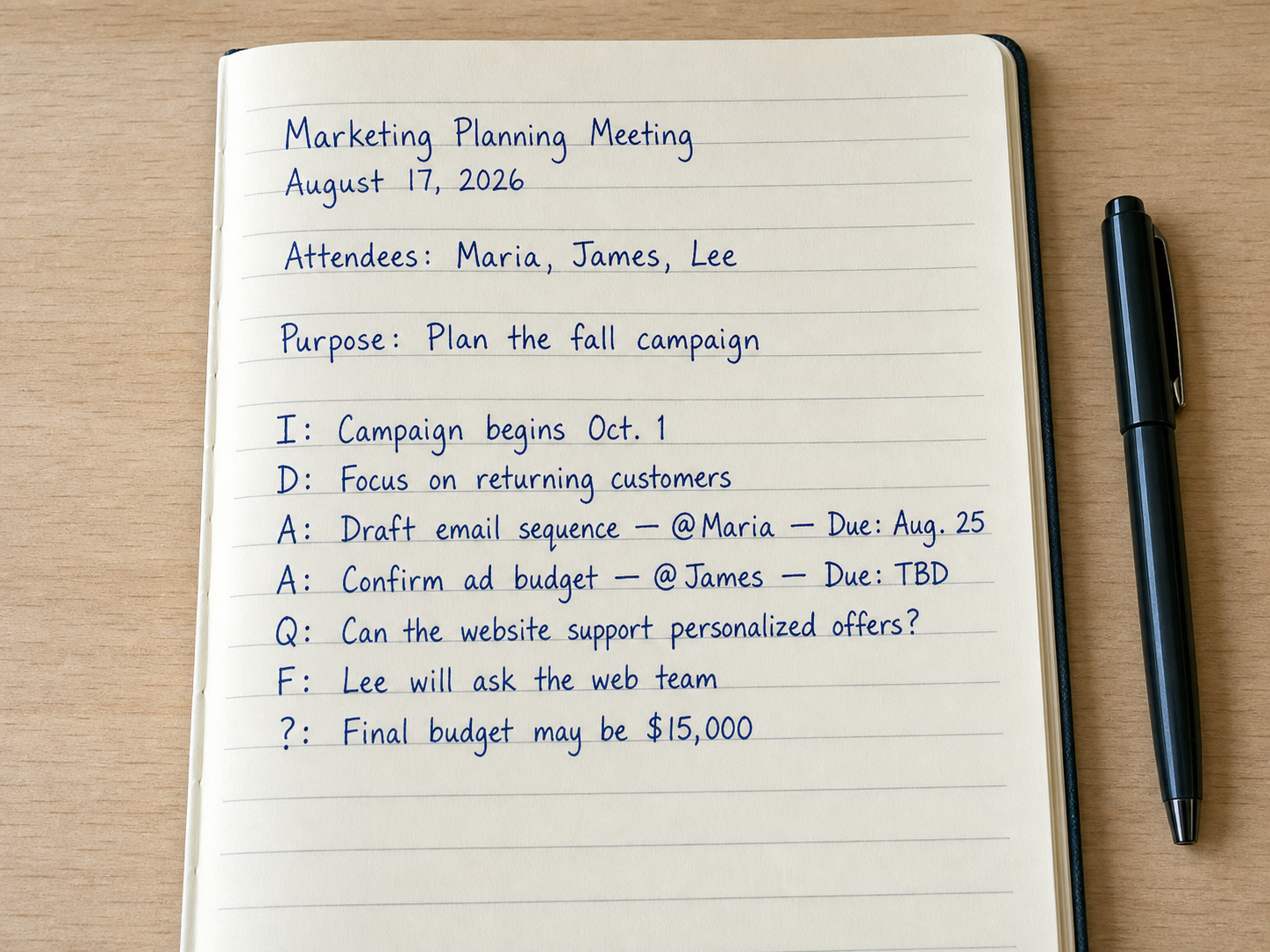
For example, notes from a marketing meeting might include:
I: Campaign begins Oct. 1
D: Focus on returning customers
A: Draft email sequence — @Maria — Due: Aug. 25
A: Confirm ad budget — @James — Due: TBD
Q: Can the website support personalized offers?
F: Lee will ask the web team
?: Final budget may be $15,000
The notes are brief, but the labels preserve their meaning. They show what the team decided, who accepted responsibility, what remains unanswered, and which detail may be unreliable.
One caution is worth adding: symbols should be visually distinct. Avoid labels that could easily be confused in handwriting—such as I, 1, and l—and always review names, dates, deadlines, and numbers in the finished report.
A consistent set of labels makes handwritten meeting notes easier for both people and AI to interpret.
Scan or photograph the notes
After the meeting, scan the pages or take clear photographs with your phone. You do not need special equipment, but image quality matters.
Place each page on a flat surface with good, even lighting. Hold the camera directly above it and include the entire page. Check that the image is in focus and that shadows, glare, or fingers do not cover any writing.
If your notes span multiple pages, photograph them in order. Page numbers can help your AI follow the discussion correctly.
Next, open your AI and attach the images. Depending on the device you are using, you may be able to drag the files into the conversation or select them with the attachment button.
Tell your AI exactly what you want
Attaching the notes is only the first step. Your prompt should explain how to organize the information and what your AI should do when something is missing or unclear.
Try this prompt:
Read the attached handwritten meeting notes and produce a clear, concise meeting report.
Include the meeting title, date, purpose, and attendees; a brief executive summary; decisions made; action items in a table with the task, owner, and deadline; unanswered questions; and required follow-ups.
Do not invent or infer missing information. Write “Not specified” when an owner or deadline is absent. If any handwriting is unclear, place the uncertain text under “Items requiring verification.” Keep the report factual and under 500 words.
This prompt does more than request a summary. It defines the report’s structure, establishes a length limit, and tells your AI not to quietly fill gaps with guesses.
You can adjust the instructions for different meetings. For example, you might request a client-ready summary, an internal project update, or a follow-up email. You can also ask for a shorter version suitable for pasting into a team messaging app.
Review the result
The resulting report should be much easier to scan than the original notes. Decisions can appear in their own section, while action items can be displayed in a table showing each task, owner, and deadline.
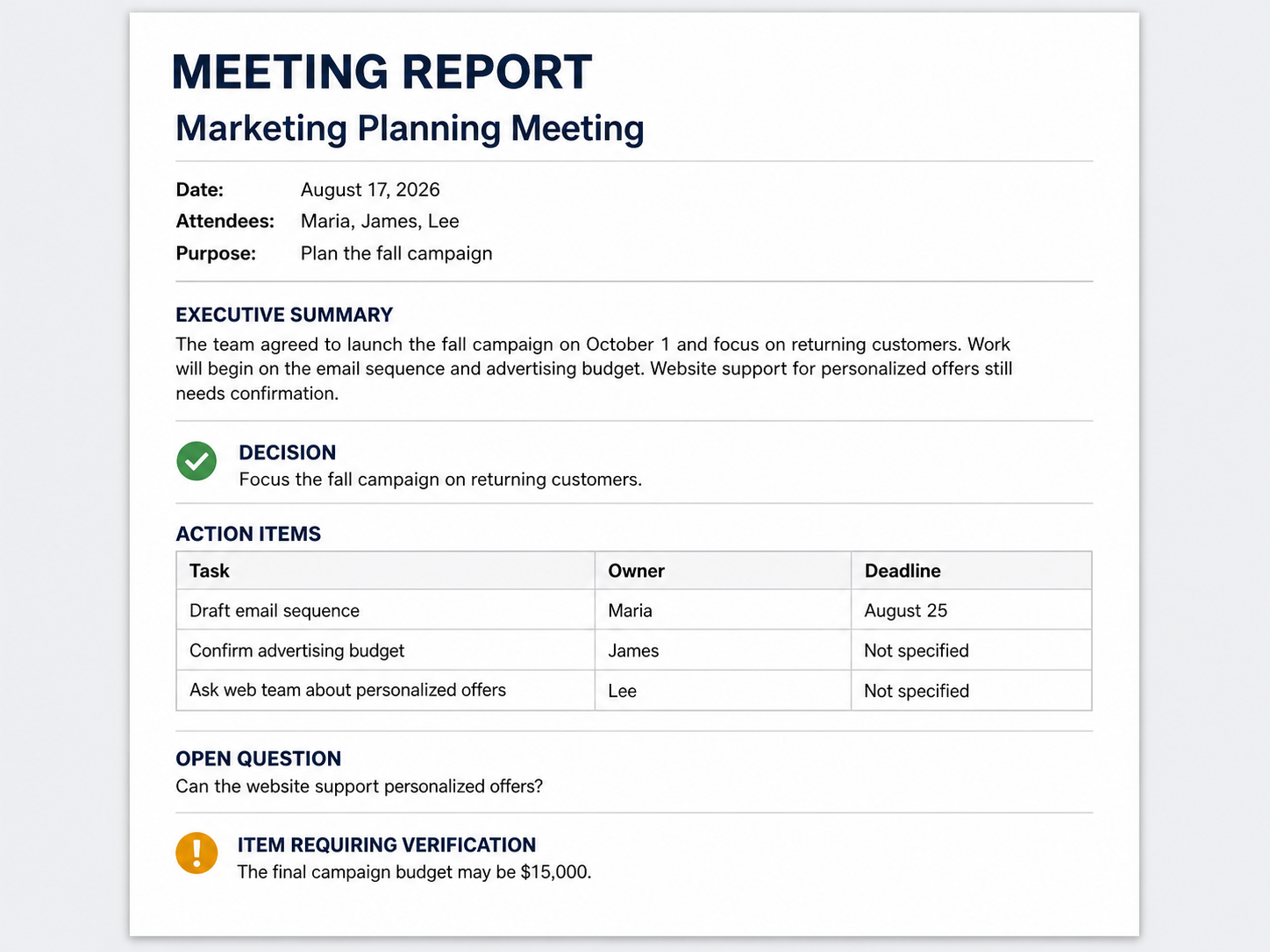
Your AI can reorganize brief handwritten notes into a concise report with decisions, responsibilities, deadlines, and unresolved questions.
AI-generated reports still require human review. Compare the result with your notes before sharing it, paying particular attention to:
People’s names
Dates and deadlines
Dollar amounts
Decisions and commitments
Words that were difficult to read
If your AI makes an error, correct it directly or clarify the original note. You can then ask for a revised report without starting over. Most AIs don't charge for corrections, but starting over costs more tokens.
The goal is not to let AI decide what happened in the meeting. Its role is to read, organize, and draft. You remain responsible for confirming that the report is accurate.
A small habit with a useful payoff
This workflow succeeds because it combines human judgment with AI’s ability to organize information. The person in the meeting recognizes what matters and records it using consistent labels. Your AI then converts those notes into a useful format.
The entire process—write, scan, prompt, and review—can take only a few minutes. It reduces administrative work, creates clearer accountability, and makes meeting outcomes easier to share.
Start with one meeting and a small set of labels. Once the method becomes familiar, you may find that better note-taking produces not only better AI reports but also better meetings.